Headless CMS with a Terminal UI
Written in Go, deployed as a single binary. Built developer-first.
Built for developers who ship
ModulaCMS is a headless CMS that lives in your terminal, deploys as a single binary, and treats content like code. Push content from local to staging to production, or pull client edits back down to stay in sync. However many environments your pipeline has, content moves between them the same way your code does.
Platform
Everything you expect, and several industry firsts
Single Binary
A 27MB Go binary. HTTP, HTTPS, and SSH servers, admin panel, TUI, plugin runtime, media pipeline, deploy engine. No runtime dependencies.
SQLite to Postgres
SQLite for local development. Postgres or MySQL for production. Same project, different environments, one config change.
Content Versioning
Every publish creates an immutable snapshot. Roll back to any previous version. Full history from day one.
Media Pipeline
Upload once. Automatic WebP conversion, responsive sizing, and S3-compatible storage. No external image services.
REST API, Multiple Formats
One API endpoint, multiple output formats. Compatible with Contentful, Sanity, Strapi, and WordPress response shapes. Swap your CMS without rewriting your frontend.
Official SDKs
First-party SDKs for Go, TypeScript, and Swift. Typed clients, not generated stubs.
OAuth + API Keys
OAuth provider support for admin access. Scoped API keys for content delivery. Role-based permissions for everything else.
MCP Server Built In
Native Model Context Protocol support. Let AI agents read, search, and draft content through a standardized interface.
Deploy Sync
Export and import content between instances. Dry-run preview. Hash-validated payloads. Push up, pull down, stay in sync.
Your Server, Your Data
Runs anywhere you can run a binary. VPS, bare metal, your laptop. No vendor lock-in, no per-seat pricing.
Interface
SSH in. Manage everything.
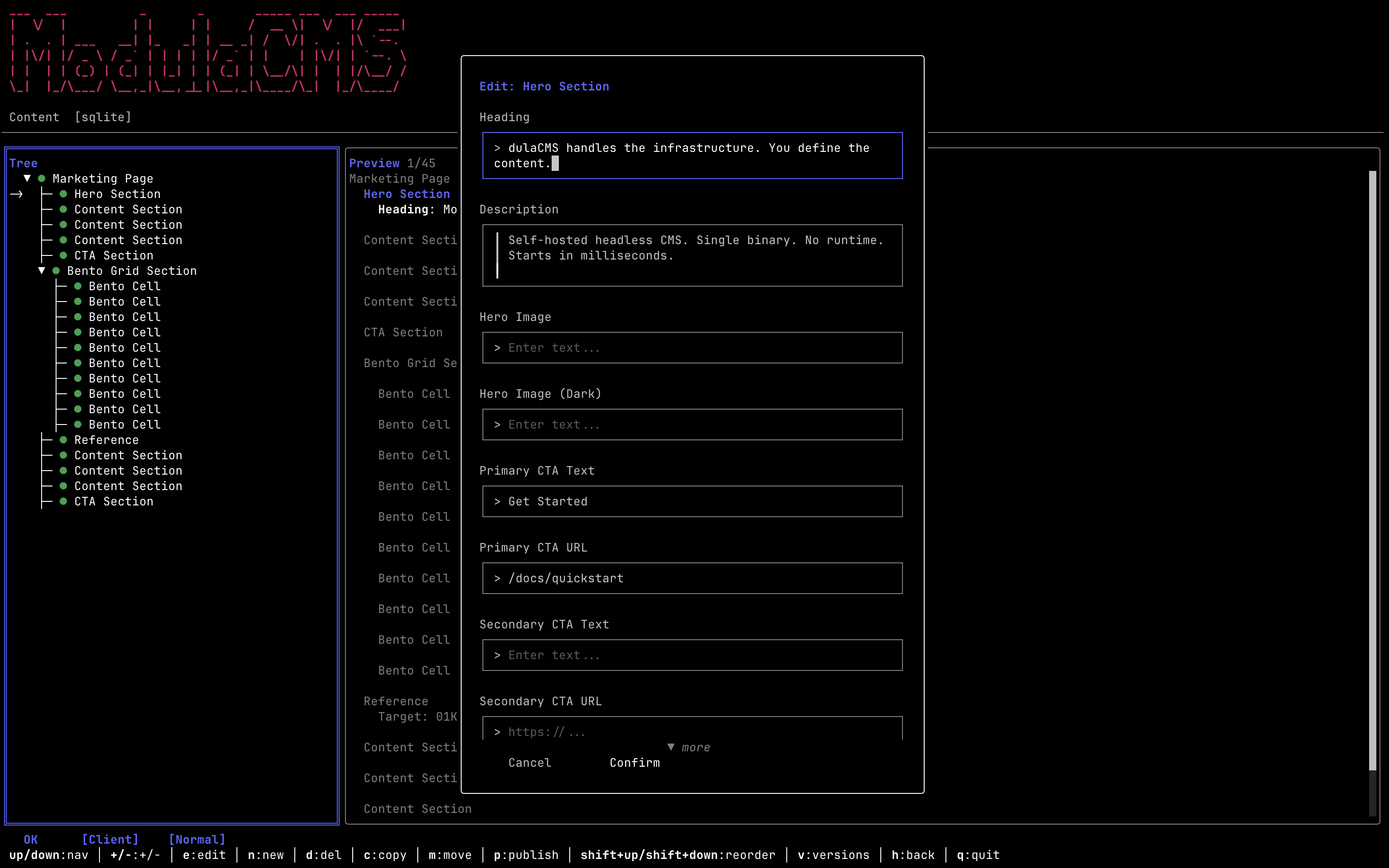
Every CMS gives you a web admin panel. Modula does too. But it also gives you a full terminal UI over SSH. Run modula connect from any machine and get a complete content management interface in your terminal. Create pages, edit content, manage media, configure plugins.
This is not a CLI that wraps API calls. It is a complete interactive UI with navigation, forms, and live preview. The same interface works whether you are connected to a local dev instance or a production server on the other side of the world.
No other CMS works this way. If you live in the terminal for git, deployment, and infrastructure, your CMS should meet you there.
Workflow
Install once. Run projects from anywhere.
Most self-hosted CMSes want you to install an instance per project. Modula installs once and manages a global project registry. Run modula init in any directory to create a project. Run modula serve to start it. Run modula connect to SSH into any registered instance.
The registry tracks each project's location, database, port, and environment configuration. Switch between projects the way you switch between git repos. No per-project installation, no orphaned processes, no port conflicts.
Onboarding a new developer takes one command. Install the binary, clone the repo, modula serve.
Extensibility
Plugins that can't take down your CMS
Modula plugins run in sandboxed Lua VMs. Each plugin gets its own isolated database tables, its own API endpoints, and a strictly enforced operation budget. If a plugin misbehaves, the circuit breaker trips and the rest of your CMS keeps running.
Plugins cannot access other plugins' data. They cannot make unbounded network calls. They require explicit admin approval before activation. You get extensibility without the risk of a community plugin corrupting your content or crashing your server.
Write a plugin in Lua, test it locally, submit it for approval. The sandbox enforces the boundaries. You don't have to trust plugin authors. You just have to trust the sandbox.
Deployment
Dev with SQLite. Deploy to Postgres. Sync the difference.
Local development uses SQLite because there is nothing to configure. Production uses Postgres or MySQL because that is what production requires. Modula handles the transition without you thinking about it.
Deploy sync exports content from one instance and imports it to another with hash-based validation and dry-run preview. See exactly what will change before it changes. The project registry knows about all your environments, so syncing between local, staging, and production is one command.
Content moves between environments the way code moves between branches. Predictably, with a diff, and with a rollback path.